hello
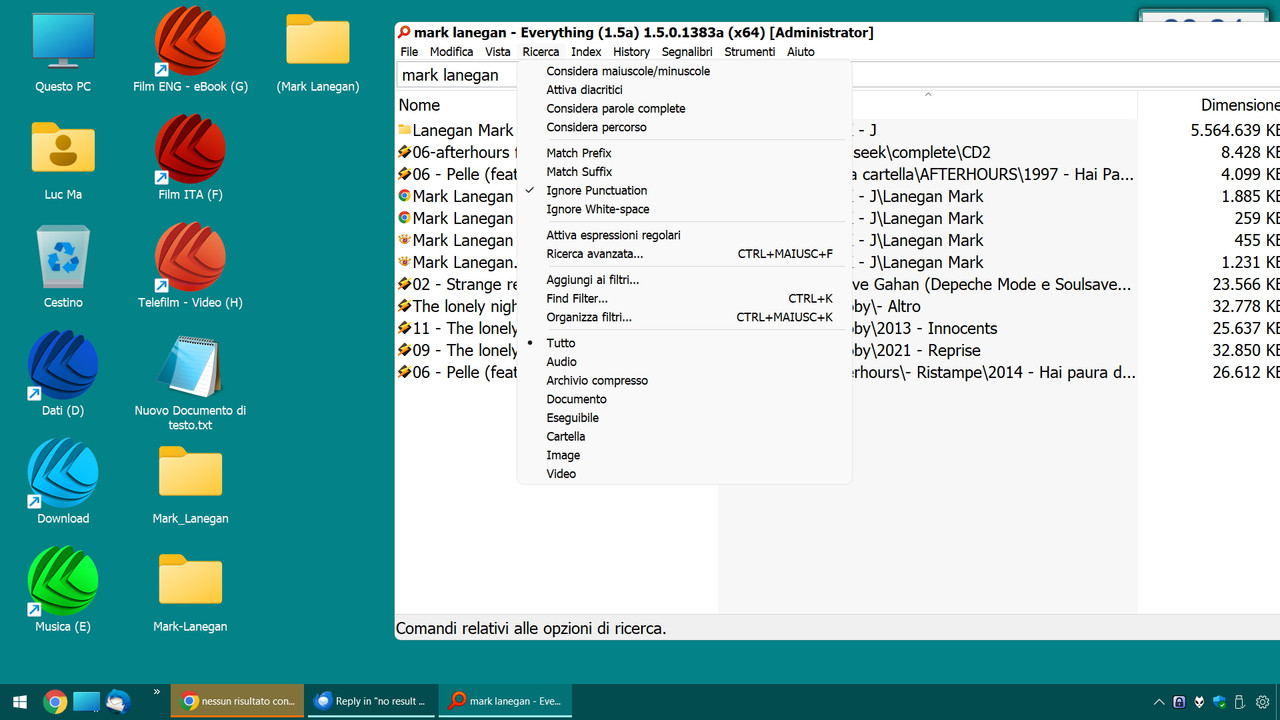
I was doing a search on my computer for the singer Mark Lanegan and I discovered that the names are not shown if they contain a line in the middle. For example, I have folders named Mark_Lanegan or Mark-Lanegan and Everything doesn't show them to me
I searched on the forum but it all seems very complicated
Can someone help me? Basically I would like searches to be done ignoring whether there are lines or other symbols between two or more words (or at the end of words)
Thanks ^_^
I wrote here because I use the alpha version, move the message if I made a mistake, thanks
Maybe one of the search modifiers (under Menu => Search) are in the way.
Make sure Match ... , Ignore .... and Regular Expressions are not enabled.
BTW: If they are enabled, this will be shown on the right side of the statusbar. Double-click to disable.
I solved it, although there is a problem. The problem is that I realized that when I set the desktop as search it showed me files that were not there,
I understood that the indexing was not updated. I did the rescan and now it shows me the folders.
The question is, now, why did not it update automatically? However, I use the beta version, perhaps it is a problem already reported.
should find file names that match, & also directory names that match,
so should also find, Mark_Lanegan & Mark-Lanegan (assuming they are directories).
It will not find files within said directories (unless the file names happen to include 'mark lanegan') - unless you use path: (or Search -> Match Path).
mark lanegan.txt
\mark_lanegan\screaming trees.mp3
\mark-lanegan\the grave diggers song.mp3
So depending on your search you might get
mark lanegan.txt
\mark_lanegan\
\mark-lanegan\
or with Match Path enabled, you'd get
mark lanegan.txt
\mark_lanegan\
\mark-lanegan\
screaming trees.mp3
the grave diggers song.mp3