If you are experiencing problems with "Everything", post here for assistance.
terrypin
Posts: 218Joined: Mon Mar 18, 2013 2:41 pm
Post by terrypin Tue Jul 05, 2016 12:55 pm
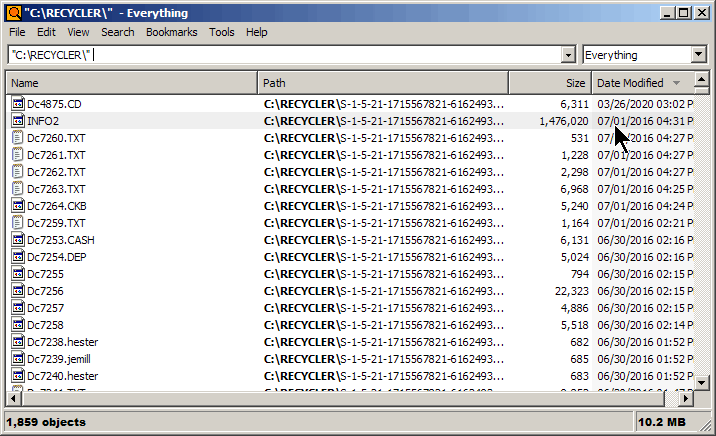
I'm trying in vain to prevent results like these:
The obvious procedure seemed to be to add it as an Exclude folder:
But that failed to add the Recycle Bin.
Then I tried to use a filter:
That didn't work either.
I know I can type this at the end of every search
!c:\$Recycle
but how is it meant to be done properly in Options please?
Terry, UK
therube
Posts: 5808Joined: Thu Sep 03, 2009 6:48 pm
Post by therube Tue Jul 05, 2016 2:16 pm
Add Folder..., then manually type in C:\$Recycle.Bin
terrypin
Posts: 218Joined: Mon Mar 18, 2013 2:41 pm
Post by terrypin Tue Jul 05, 2016 4:06 pm
Thanks, that worked a treat!
therube
Posts: 5808Joined: Thu Sep 03, 2009 6:48 pm
Post by therube Tue Jul 05, 2016 5:28 pm
It's typical that the file
name is "randomized" (sequentially numbered).
Very possible that OLD entries may have "textual" names.
You have some old entries, but then you also have some from 2014 that are like that too, & those are odd.